
The guestlist side of your Paylogic events.
GuestAccess is the fast, offline-ready access platform for clubs, events and festivals. Manage your guestlist, accredit crew and advance artists, and check everyone in at the door. Connect your Paylogic account to send guest and parking tickets straight from the guestlist you already run.
Free to start · No credit card
Trusted by event teams across the scene







Everything for the door, on top of your ticket sales.
Guestlists, crew and artists in one place, behind one login. Change something and the door knows straight away.
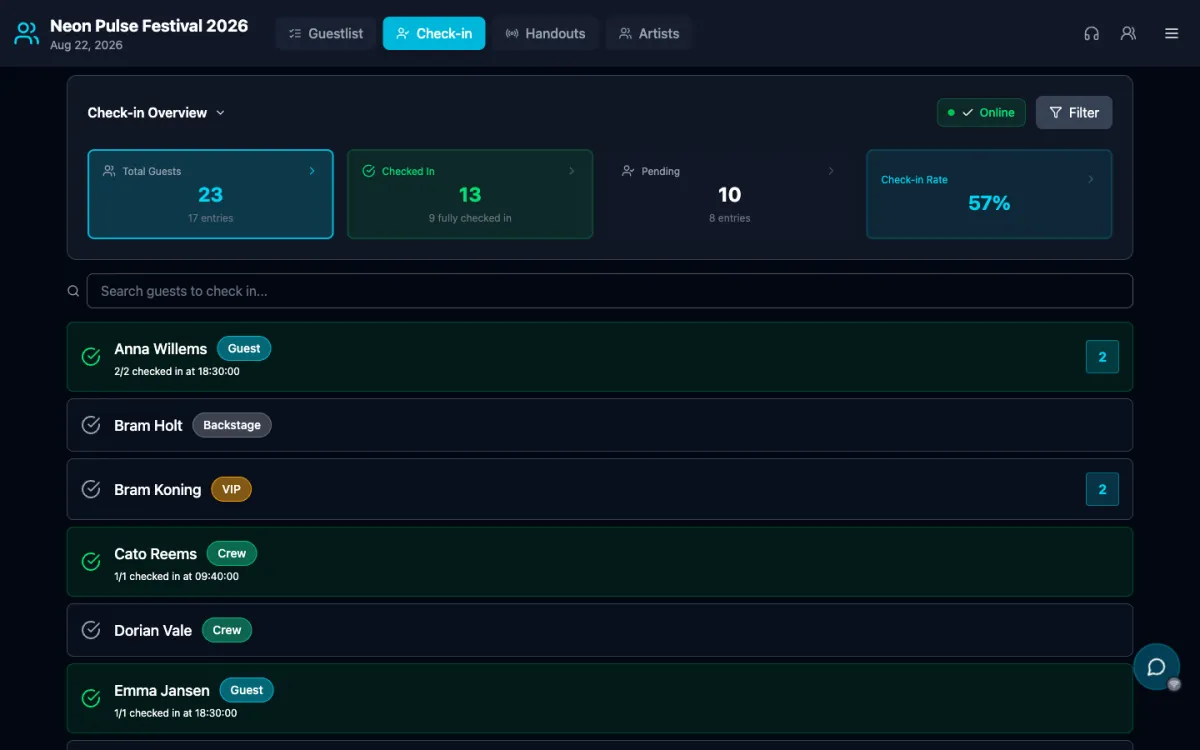
Guestlists & check-in
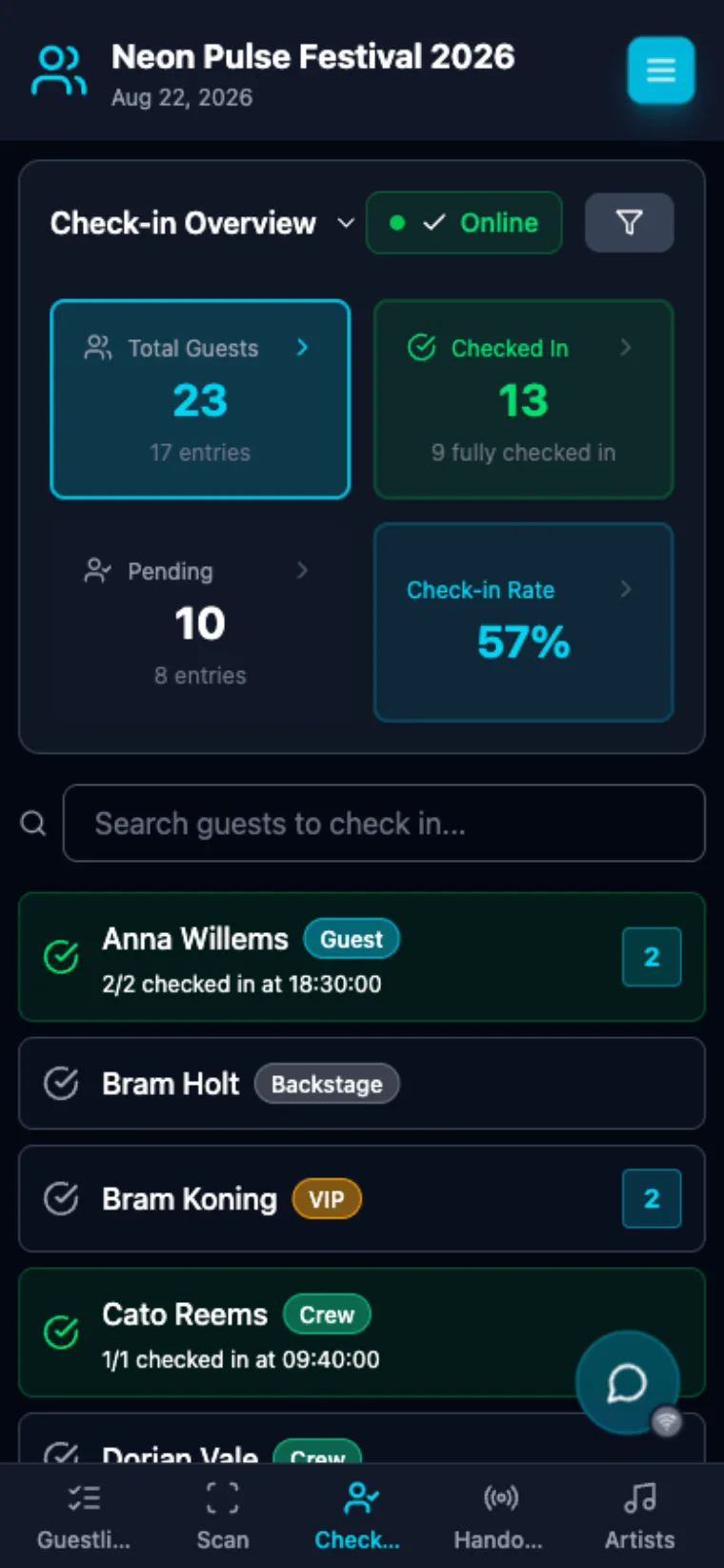
Real-time guestlist with PIN-protected door check-in, online or offline.
Crew accreditation
Companies fill their own forms. Approve, hand out meals and walkies, track hours.
Artist advancing
Timetables, guest requests, briefings and riders, sent to each artist with one link.
Paylogic tickets
Send guest and parking tickets to your list straight from GuestAccess.
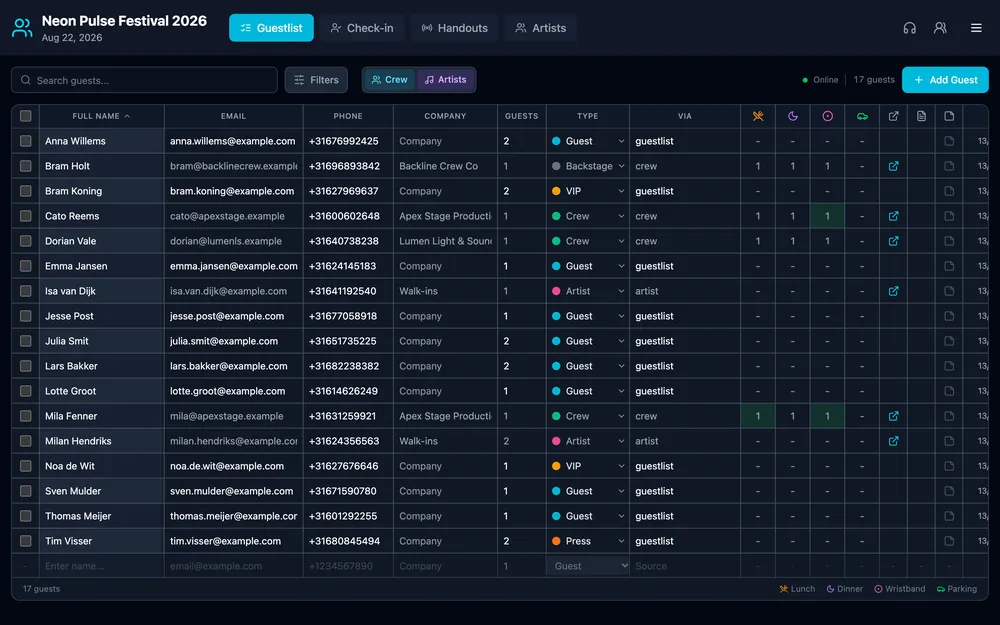
Your guestlist, built in seconds.
- Add a guest in one tap.
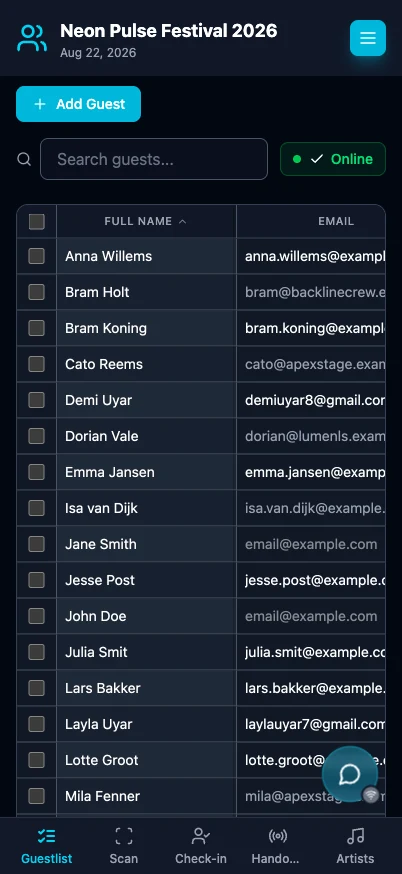
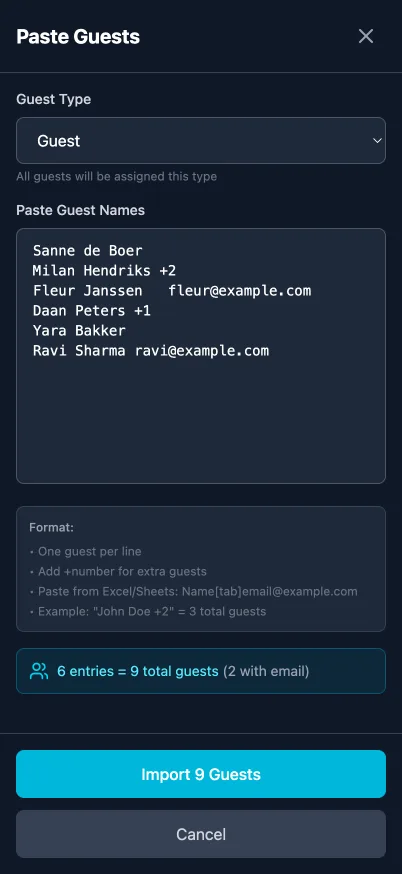
Type a name and pick a type. Or import a whole Excel list, we map the columns.
- Filter by type, company or status.
Guests, VIP, crew and artists in one searchable list at the door.
- Crew and artist requests flow in.
Approved crew requests and artist guests land on this list automatically.
- Share last minute names straight from WhatsApp.
Share names or an Excel file from any app straight to the event you pick.

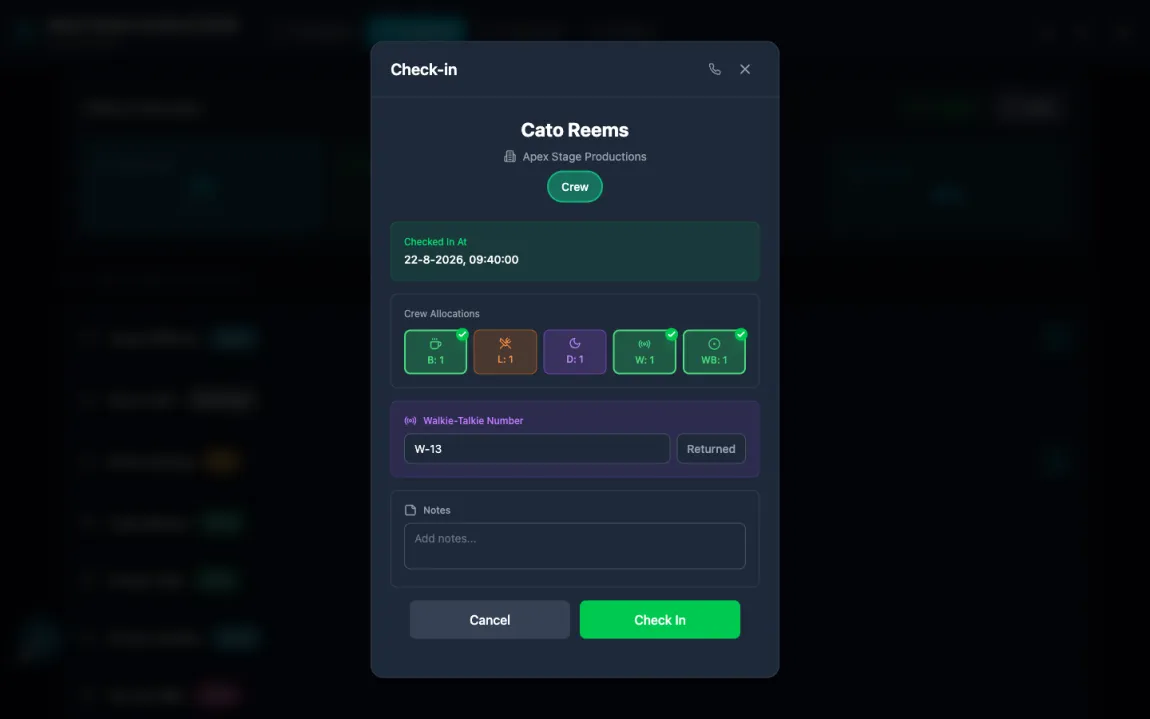
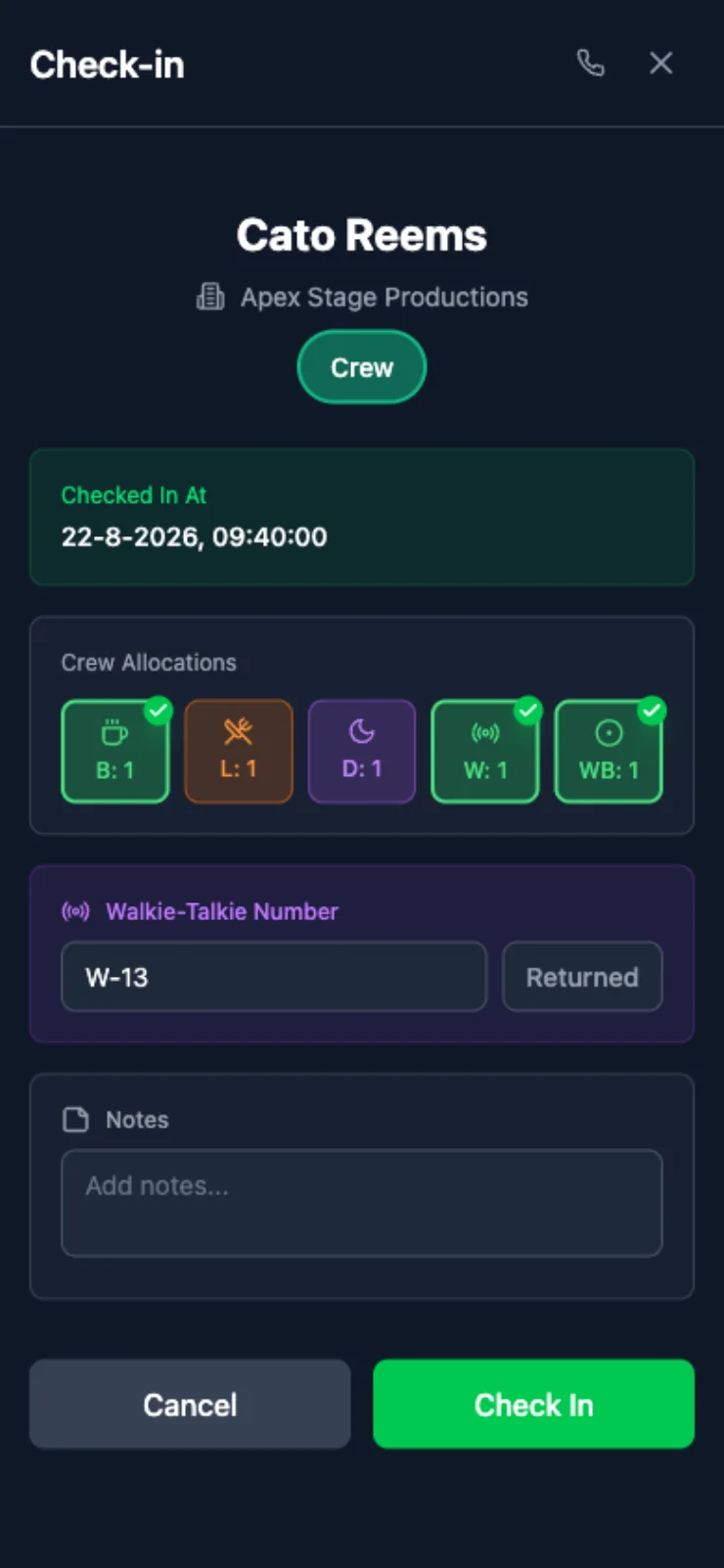
Hand out meals, walkies and wristbands as they arrive.
- Everything on one screen.
Breakfast, lunch, dinner, walkie and wristband show at check-in. Tap to hand out, log the walkie number.
- Same flow on the phone at the gate.
Desktop at the office, phone at the door. Same screen, works offline.
- Track every handout.
Requested versus given for meals, walkies and wristbands, live across the crew.
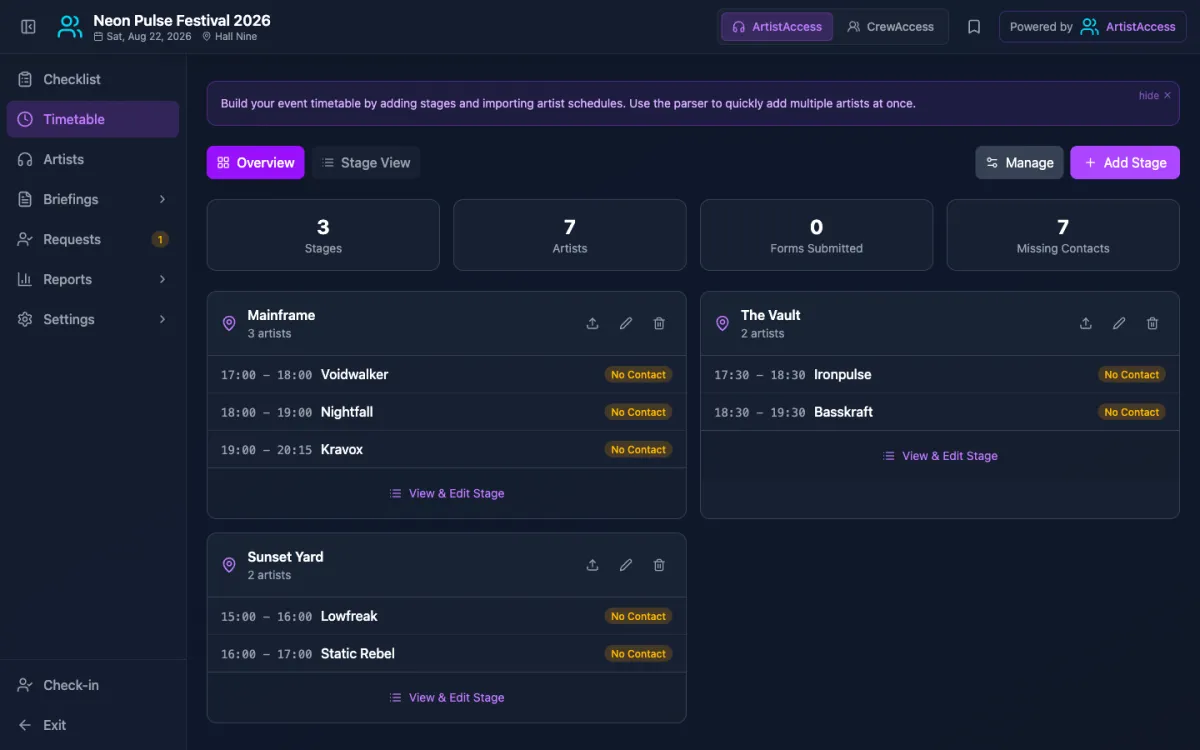
Plan the show, brief every artist.
- Paste your line-up, it parses.
Paste your timetable and the artists are matched across every stage.
- One link per artist.
Set time, guestlist and briefing on one link per act. No email threads.
- Riders and stage managers.
Collect riders per act and give each stage manager a PIN link to their own stage.
Send briefings your team actually opens.
One briefing link per person: set times, venue, parking, catering and riders.
- One link, PIN-protected.
Any phone browser, no account or app. You choose what each person sees.
- In your event's own look.
Your own background, colors and cover per event, with a live preview.
- Everything they need for the day.
Play times, venue, parking, catering and riders, always up to date.
- See who opened it.
See sent, delivered and opened per person, and resend in one tap.


- 2x CDJ-3000 + DJM-A9
- Booth monitor
- Towels and still water
Drop in every rider. They sort themselves.
Upload every rider of the line-up at once. GuestAccess reads each one, matches it to the right act and turns it into a checklist.
- Bulk upload in one go.
Drag in every rider at once. They are scanned one after the other.
- Matched to the right artist.
Each document is matched to its act, even 'rider final v3'. Anything uncertain is flagged for you to confirm.
- A checklist, not a pile of PDFs.
Technical and hospitality requirements become tickable items per act.
- Stage managers see their own stage.
Each stage manager gets a PIN link with only their artists, set times and riders.
Take it to the gate. Native apps for iOS and Android.
The full check-in and handout flow, built for your door staff's phone. Fast, offline-first, on the App Store and Google Play.
Connect once, and the tickets follow your guestlist.
No exports, no copy-pasting. Link the Paylogic event, decide which product every accreditation type gets, and GuestAccess issues them as you approve.
Connect your Paylogic account
Enter your Paylogic API credentials once, then switch the integration on for the event you are already selling tickets for.
Map your ticket types
Point each accreditation type at a Paylogic product: guest, crew, artist, and one for parking.
Approve, the ticket is issued
Approve a guest, a crew request or an artist guest and their e-ticket appears in their briefing, ready to scan at the door.
Run your door and your Paylogic tickets from one list.
Free to start · No credit card